

Projects / FeedbackThing
Bug reports that point at the exact button.
A widget for any page. The customer clicks the thing they mean, adds a screenshot and a circle, and it lands in your inbox with the selector, the page, and the viewport attached.
- For
- Anyone who ships a web app and gets "it's broken" emails
- Does
- Tag it · Show it · It lands · Read it · Close it
- Status
- Live
- Pricing
- Free under 100 pins a month
- Made by
- Gardner Tech Group
Who it's for
A small team with a product in front of real people. The reports arrive as "the checkout is broken" with no page, no browser, and no clue which button. Someone spends an hour finding out.
Agencies get a version of this from every client. So does anyone running a beta.
Why I built it
Every bug report I have ever received from a real customer was the same sentence: it’s broken. No page, no browser, no button. The report was true and useless, and the hour after it was spent finding out which button.
FeedbackThing puts the form on the page itself. The customer points at the thing. The widget writes down the part they were never going to: the selector, the viewport, the screenshot. I built it for my own products first, and now it is the first thing I add to a new one.
— Matt
What it does
5 things, in the order they happen on a working day.
- Tag it The customer clicks the element they mean. The widget records the selector, its text, the page, and the viewport.
- Show it A screenshot taken from inside the page, then a circle, an arrow, a number. Or a voice note, if typing is the problem.
- It lands One inbox per project. Who sent it, which page, where it stands. Nothing to configure.
- Read it Everything the customer didn't know to tell you, attached. Selector, inner text, viewport, reply email, console errors.
- Close it Notes only the team sees. A status. Export to Linear when it turns out to be real work.
One bug report, start to finish
Here is a Thursday-night bug report at an oyster bar that takes orders online. The five numbers above show up in order.
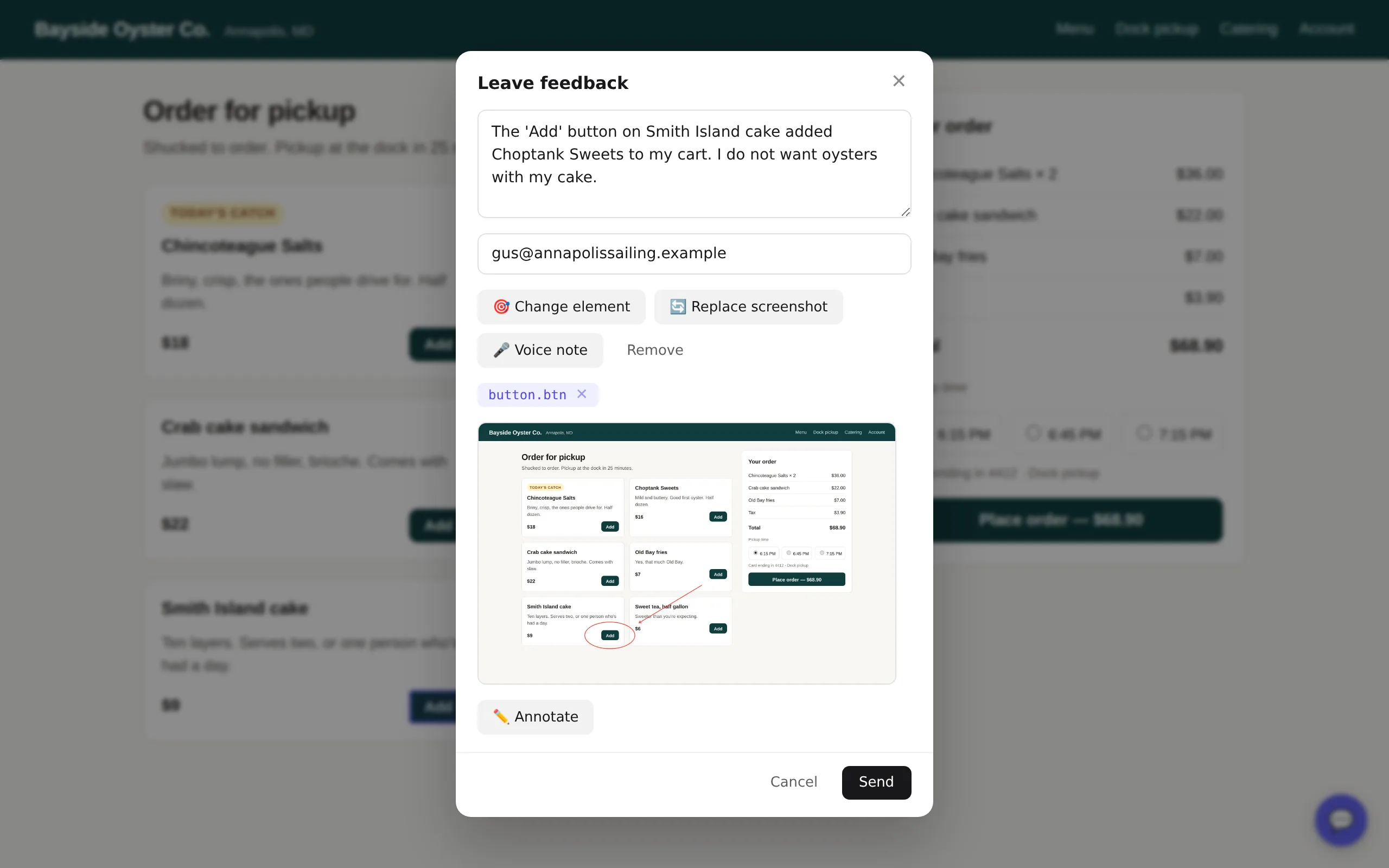
- Tag it 7:52 PM
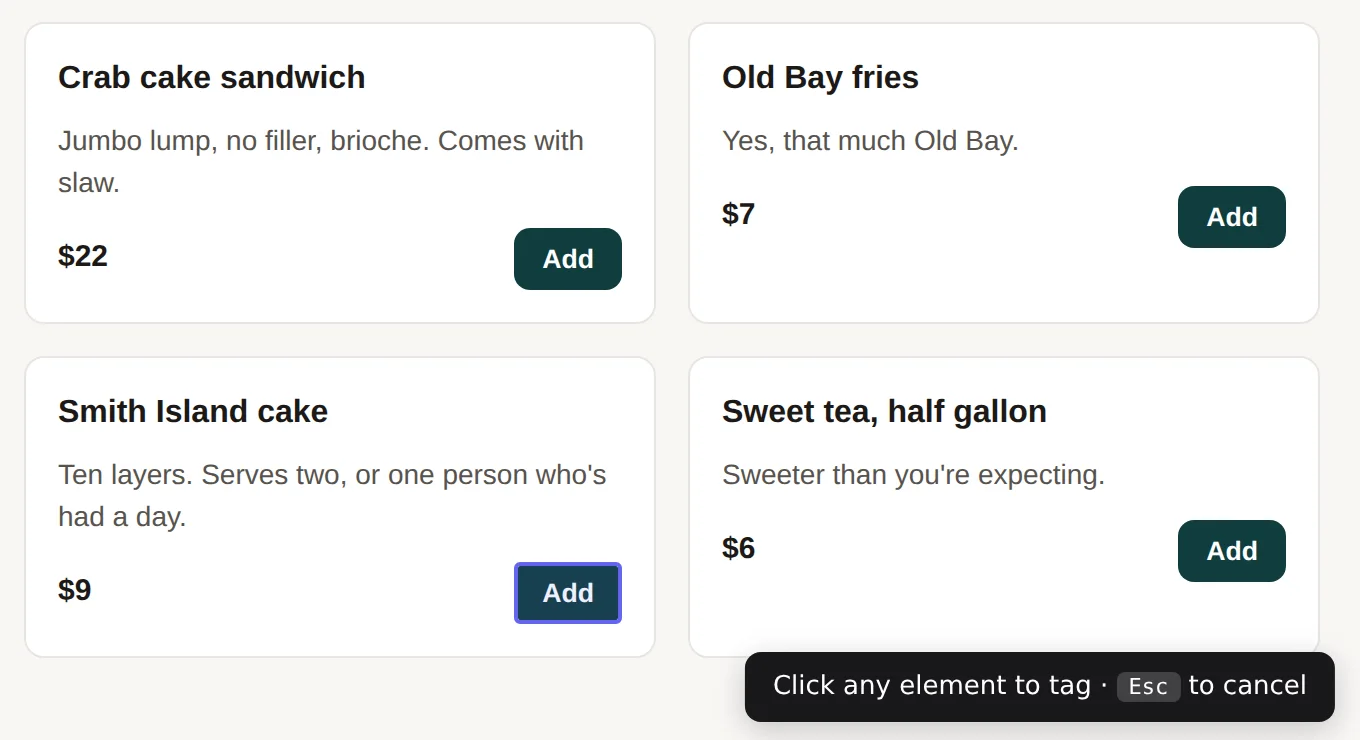
Gus adds a Smith Island cake to his order and the cart fills with oysters instead. He clicks the bubble in the corner, types one sentence, and taps Tag element. Whatever he hovers gets an outline. He clicks the Add button he meant. That is the whole report from his side.
no form fields. the page is the form - Show it 7:53 PM
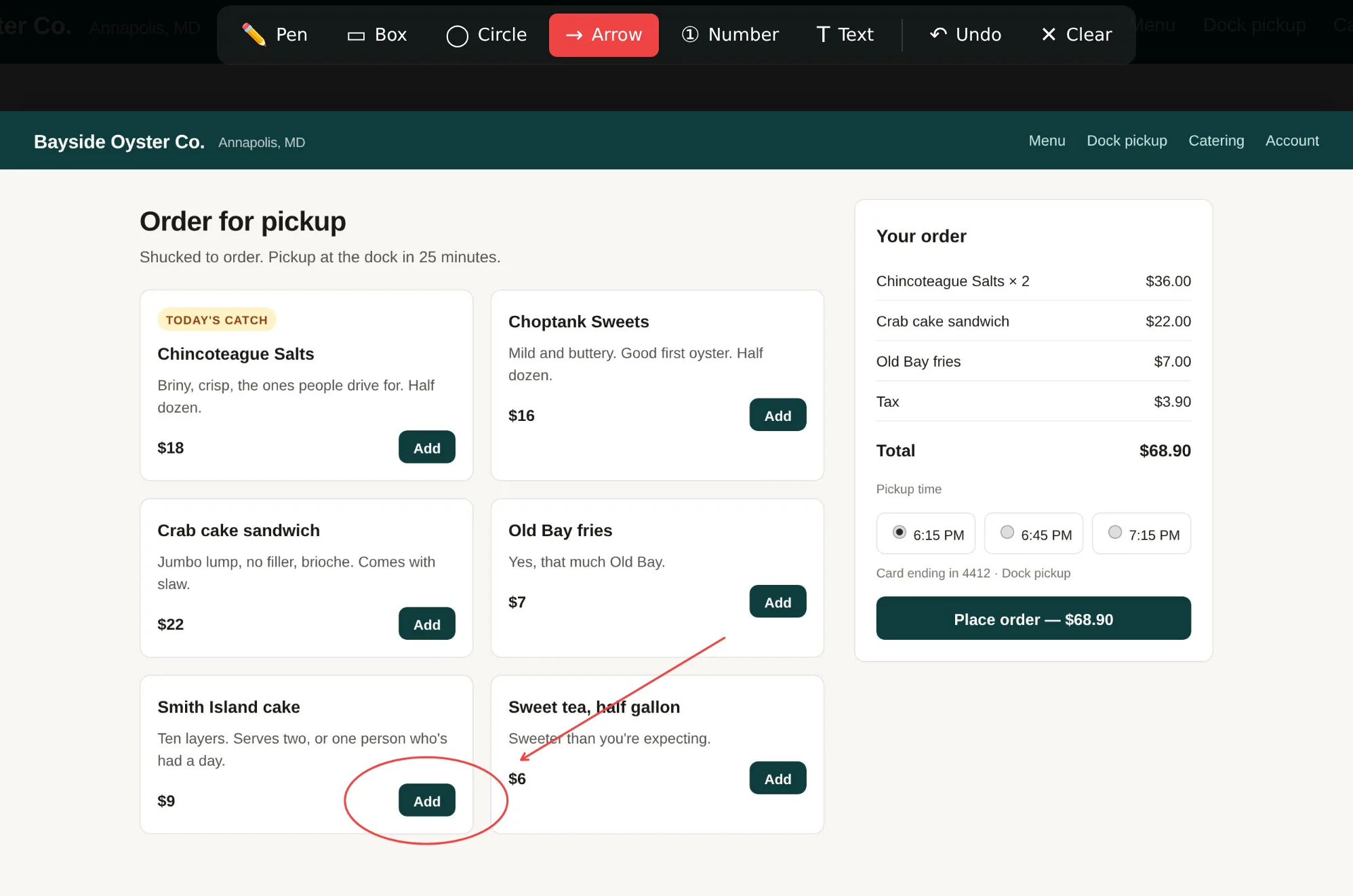
Add screenshot captures the page from inside the browser, exactly as Gus sees it. Annotate opens it full-screen with a pen, boxes, circles, arrows, and numbers. He circles the button, draws an arrow at the oysters, and taps Done. Then Send.
the circle is the bug report - It lands 7:53 PM
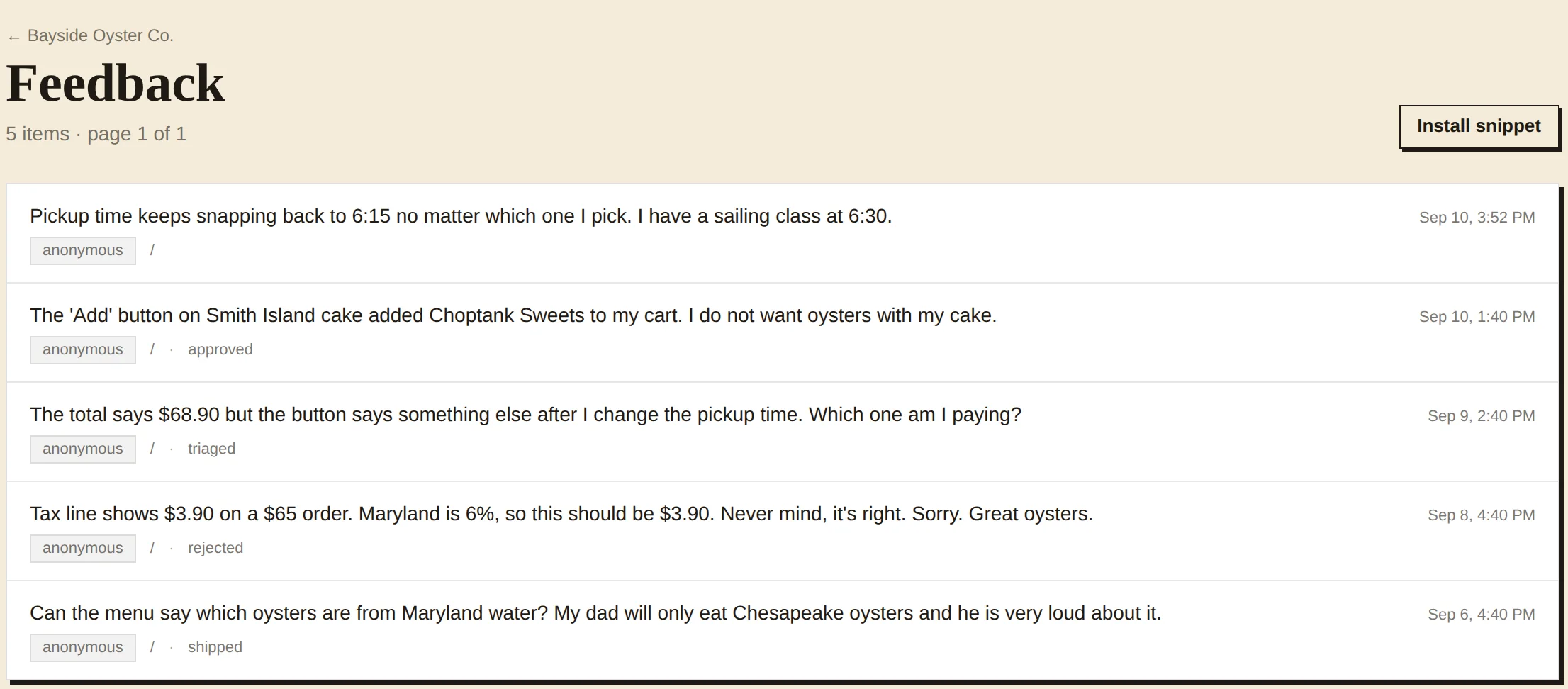
The report is in the oyster bar's inbox before Gus has closed the tab. Each row is the comment, who sent it, the page, and where it stands. Statuses run new, triaged, approved, rejected, shipped. The one about the tax was rejected because the tax was right.
- Read it 8:10 PM
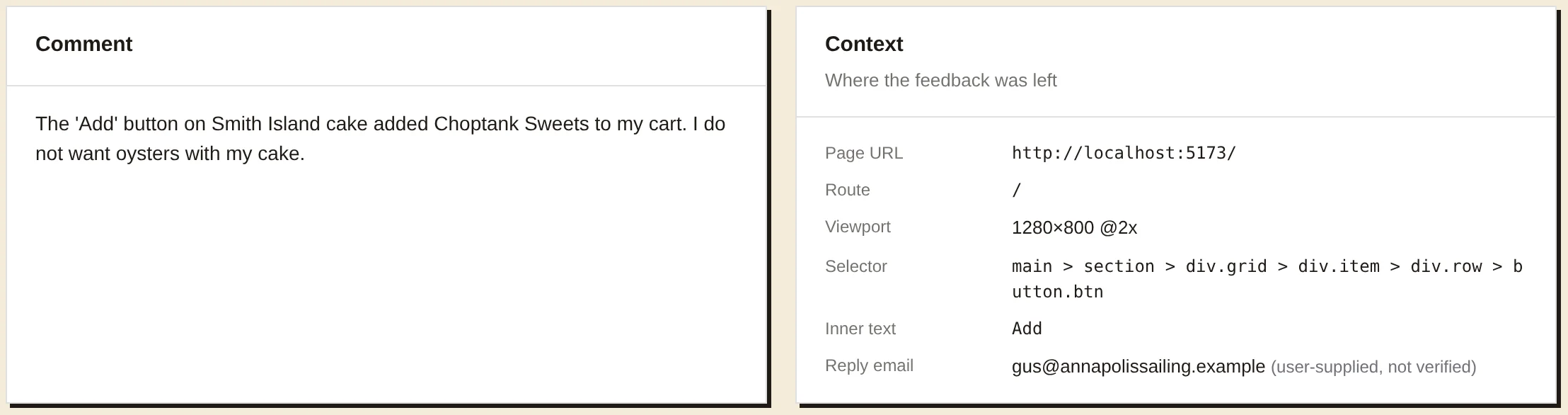
Open it and the context is already there. The selector the widget worked out, the text on the button, the viewport it happened at, and the email Gus typed so someone can write back. His circled screenshot is right below. Nobody has to ask which button.
the hour of reproducing, gone - Close it 9:05 PM
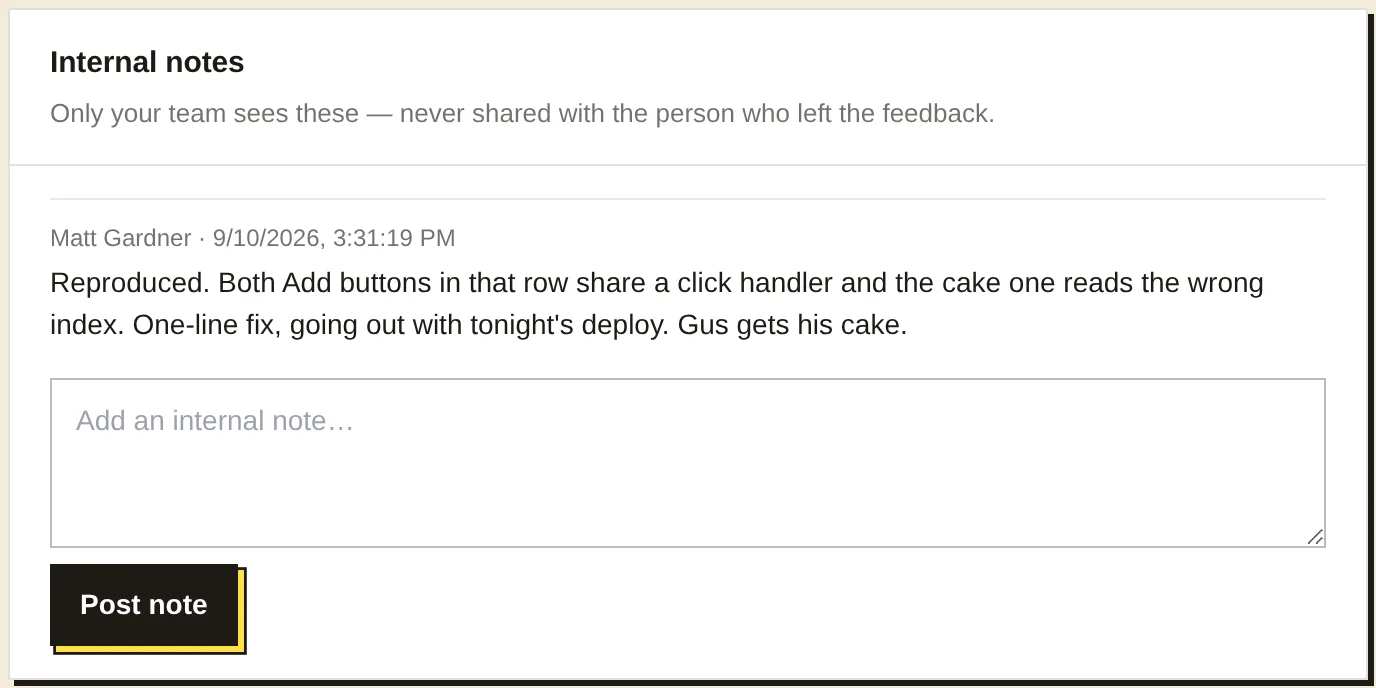
A note for the team, which the customer never sees. The report is marked approved, then shipped when the fix goes out. If it turns out to be real work, one click exports it to Linear with the screenshot and context attached.
Also in the box
- Install with Claude Code
- One curl drops a skill into your project. Say "install feedbackthing" and it adds the snippet, wires up identity, and smoke-tests the API.
- Verified identity
- Sign a short JWT on your server and reports arrive with a trusted name and email, not a typed one.
- Placement
- Pick the corner and offset, or hide the bubble and open the widget from your own menu, a shortcut, or a link ending in #feedback.
- On phones
- The bubble clears the iOS home indicator on its own, and the form opens as a bottom sheet instead of a dialog.
- Full-page capture
- The viewport by default. One attribute captures the whole page.
- Linear export
- Pro. A report becomes an issue in the team and project you choose, with the screenshot and context attached.
- Origins and rate limits
- The publishable key is safe in client code. Only your origins can post, wildcards included, and anonymous senders are rate-limited.
- ReviewThing
- The sibling. The same idea pointed at happy customers, so their reviews end up on your site.
Add it to one page tonight.