

Projects / hereby
Time tracking for people who work at someone else's address.
GPS clock-in, a signature from the client, a timesheet the office can trust, and the miles that go with it. Built for home-care agencies. One plan, every feature.
- For
- Home-care agencies, field crews
- Does
- Clock in · Log a drive · Client signs · Timesheet
- Status
- Live
- Pricing
- One plan, no add-ons
- Made by
- Gardner Tech Group
Who it's for
An agency that sends caregivers into clients' homes. The office needs to know the visit happened, how long it took, and that the client was satisfied. The caregiver needs it to take five seconds at the door.
The same shape of problem shows up for cleaning crews, repair techs, and anyone who bills for hours spent somewhere else.
Why I built it
Every tool I evaluated for a small care agency sold the basics cheap and put GPS, signatures, and expenses on a higher tier. The features that make the product work for this kind of business were the features you had to pay extra for.
hereby has one plan. Everything is in it.
— Matt
What it does
4 things, in the order they happen on a working day.
- Clock in One tap at the door. GPS stamps where and when, on every start and stop.
- Log a drive Miles and a reason, logged against the client. Only drives with a customer land on an invoice.
- Client signs On the caregiver's phone, at the end of the visit. No more "did it happen?"
- Timesheet Shifts roll up by person, client, week. Approve, export, invoice.
One shift, start to finish
Here is a Tuesday for a caregiver whose agency uses hereby. The four numbers above show up in order.
- Clock in 8:58 AM
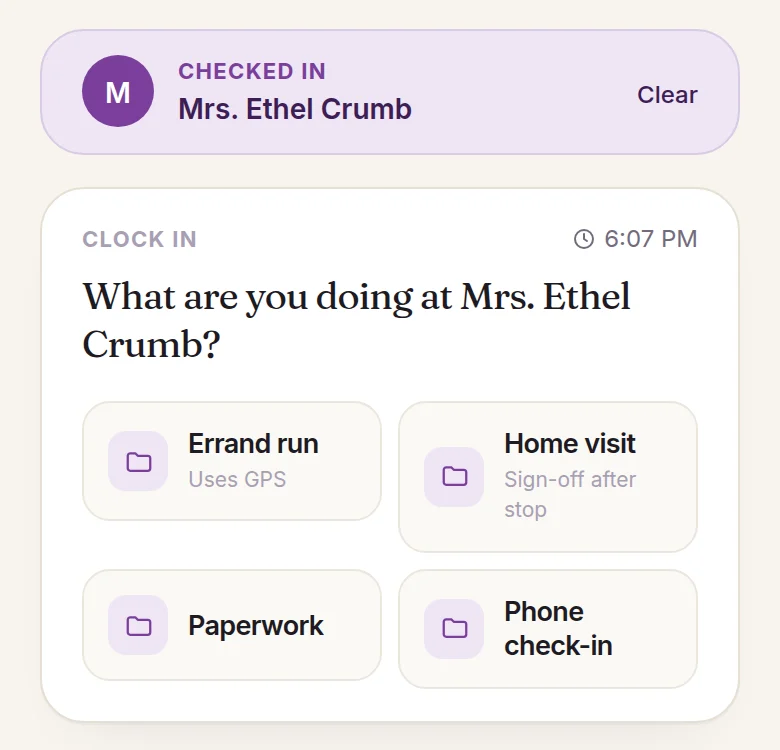
She parks, checks in at Mrs. Crumb's door, and taps Home visit. hereby records the time and where she was standing, and checks it against the address on file. The office doesn't have to ask.
- Log a drive 9:00 – 11:00
During the visit there's nothing to do in the app. She's there for the client, not the phone. The pharmacy run on the way over is a number of miles and a reason, logged against Mrs. Crumb, so it lands on the right invoice.
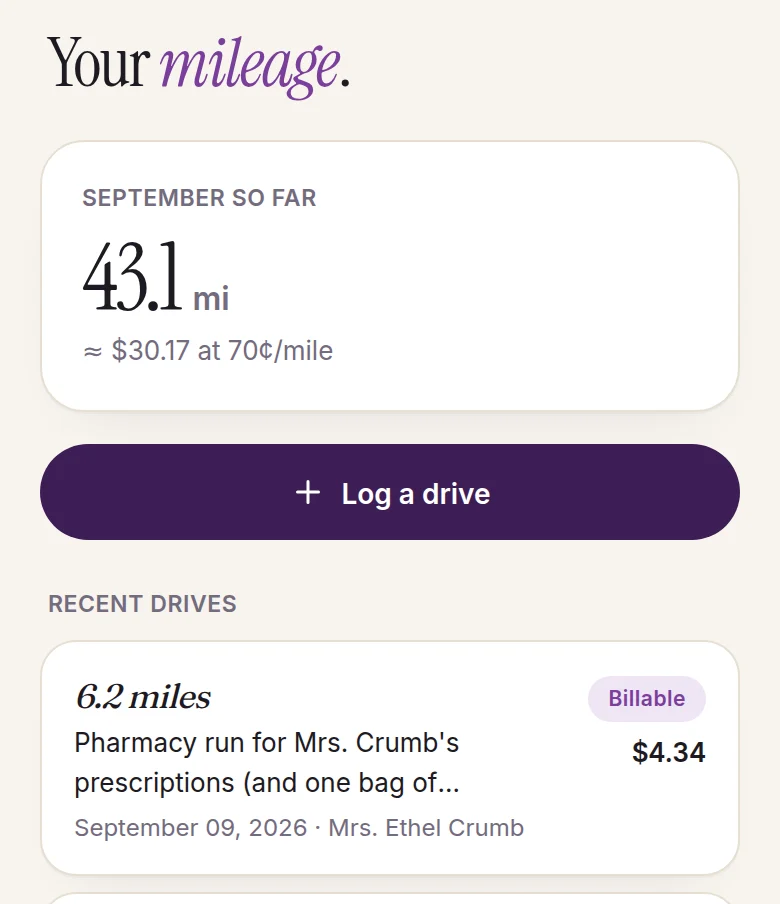
the part most apps forget: leave people alone - Client signs 11:02 AM
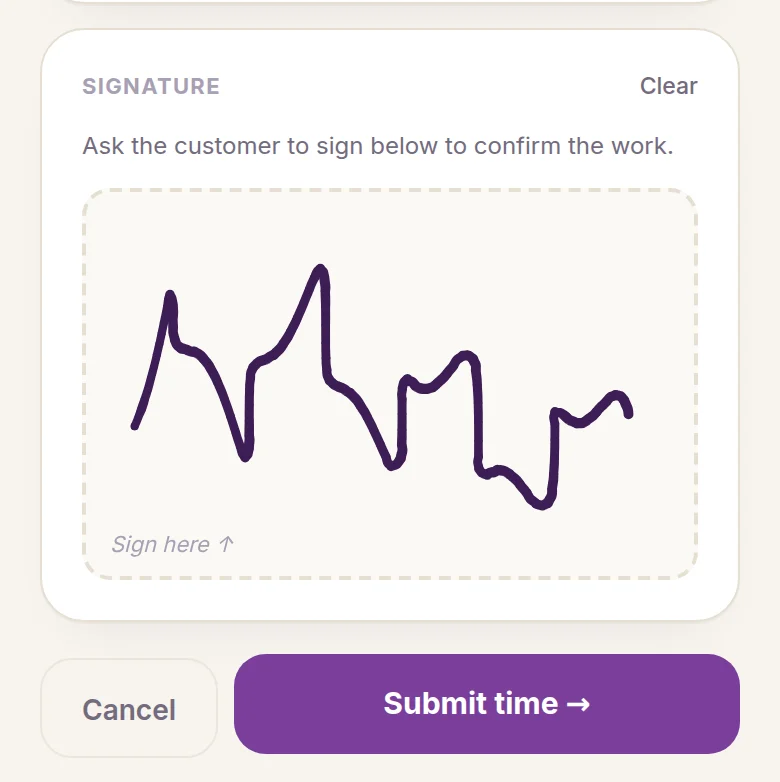
She hands the phone over. The client signs. The visit is now something both sides agreed happened, with a time and a place attached. This is the feature agencies end up needing most, and the one competitors charge extra for.
- Timesheet Friday
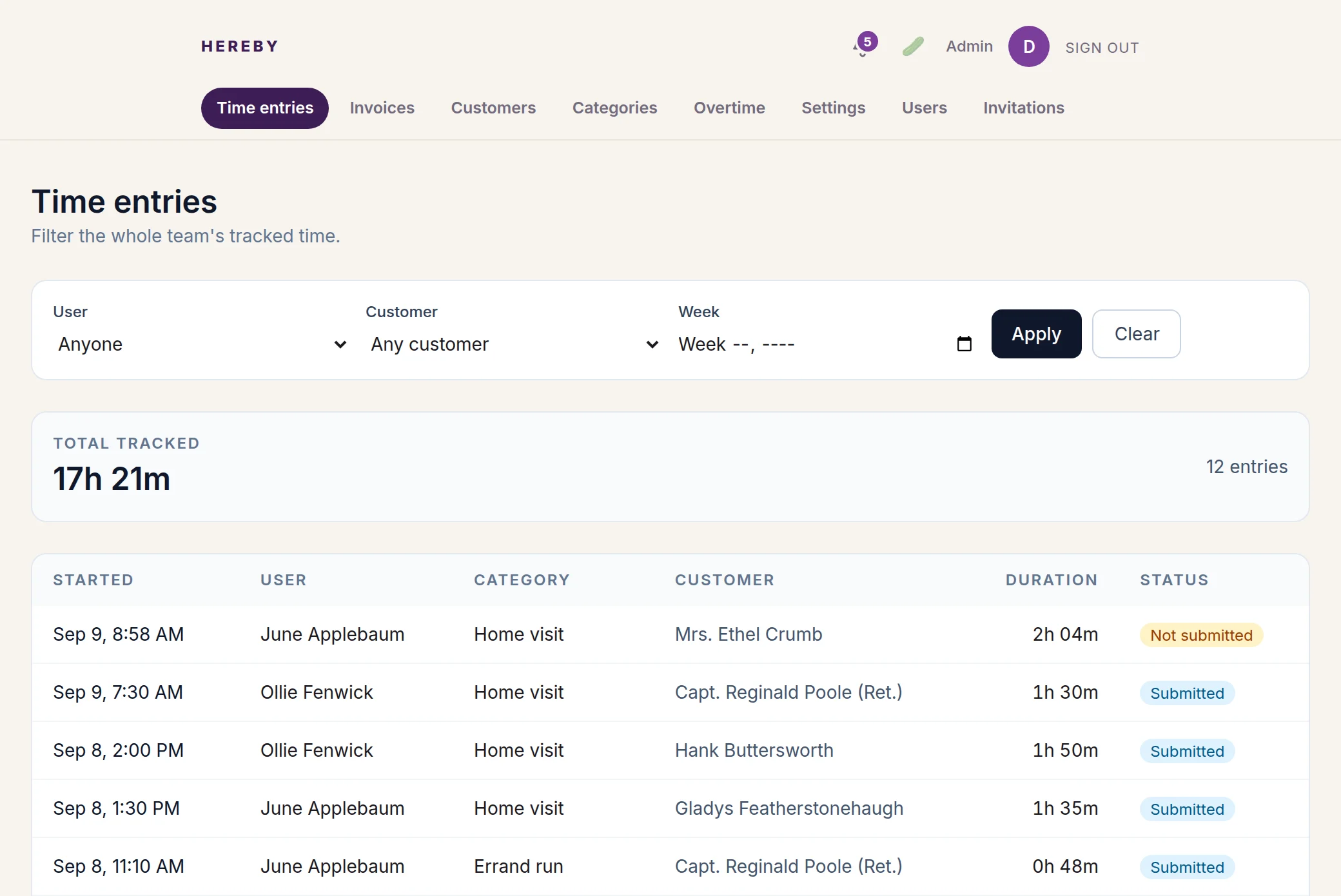
Back at the office, the week rolls up by caregiver and by client: hours, locations, signatures, miles. Approve it, export it, send it to payroll and the invoice.
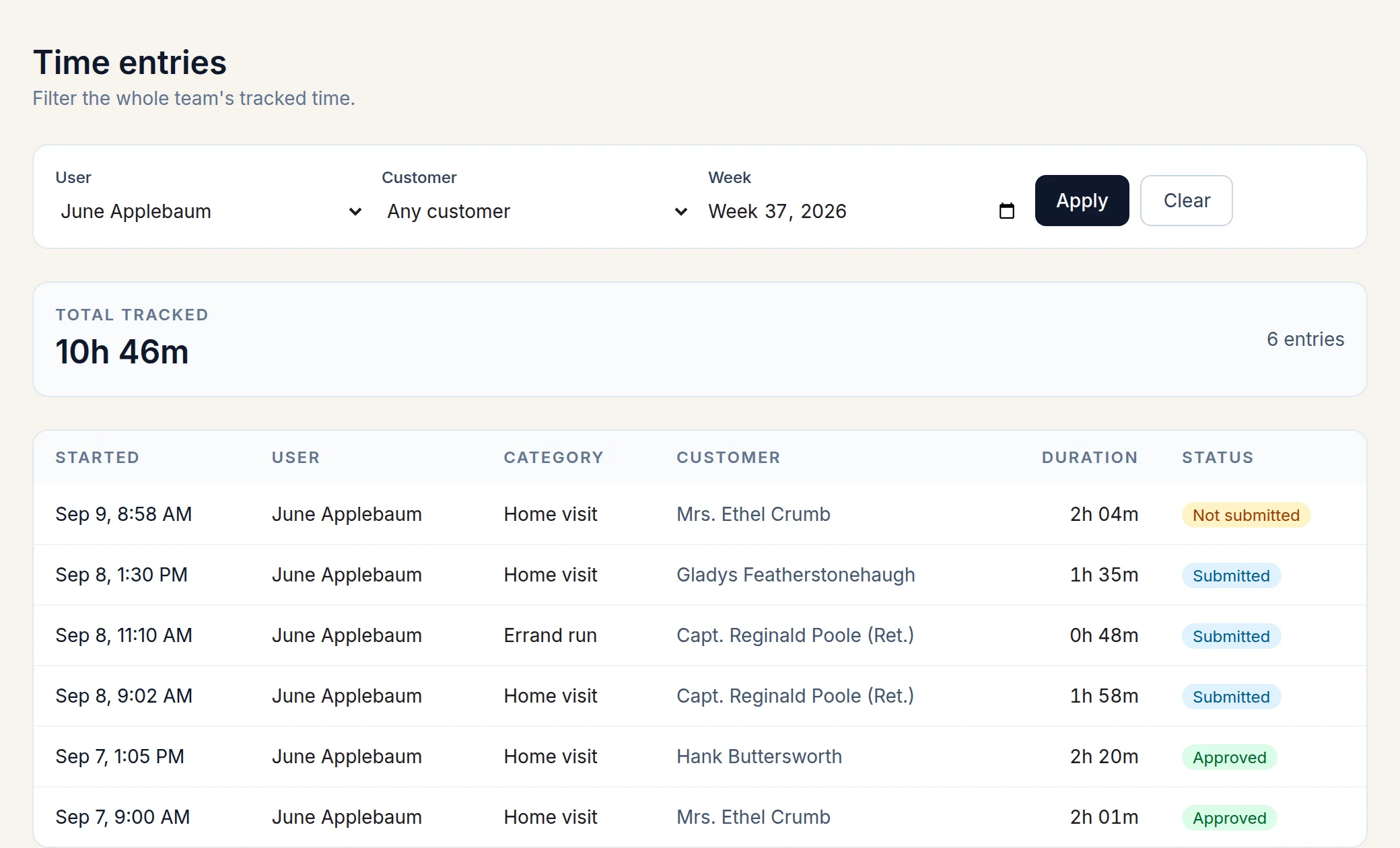
every column here was free on day one
Also in the box
- Approvals
- A supervisor reviews each submitted visit, with the GPS trace and the signature, and approves it or sends it back with a note.
- Invoices
- Signed-off hours and drives roll into a draft per client. Issue it, email it, or share a link the client can open without signing in.
- QuickBooks export
- Issued invoices export as a CSV in QuickBooks' import format.
- Overtime rates
- Named rates like time-and-a-half or double time, recorded per shift so the invoice states them.
- Customer receipts
- The client gets an email when a visit is submitted, so there's a record on their side too.
- Pickle sync
- Optional. Submitted visits, drives, and invoices mirror onto the client's timeline in Pickle, my personal CRM.
- Rules per category
- Each type of work can require GPS, a signature, a check-in, or approval, and can set its own GPS tolerance.
Try it with one caregiver.